

Now that you have a clear picture of how host registration works, it’s worth knowing that BoloUp offers a second path to earning on the platform, becoming an agent. If the idea of going live doesn’t quite appeal to you, the agent role could turn out to be a much better fit. So, here’s the BoloUp agency registration tutorial from us.
Agents operate behind the scenes, channeling their energy into building a team and recruiting talented hosts rather than streaming themselves. If you have a natural ability to spot potential and a passion for guiding and managing people, those are precisely the qualities that set successful BoloUp agents apart.
BoloUp Agency Registration Step-by-step
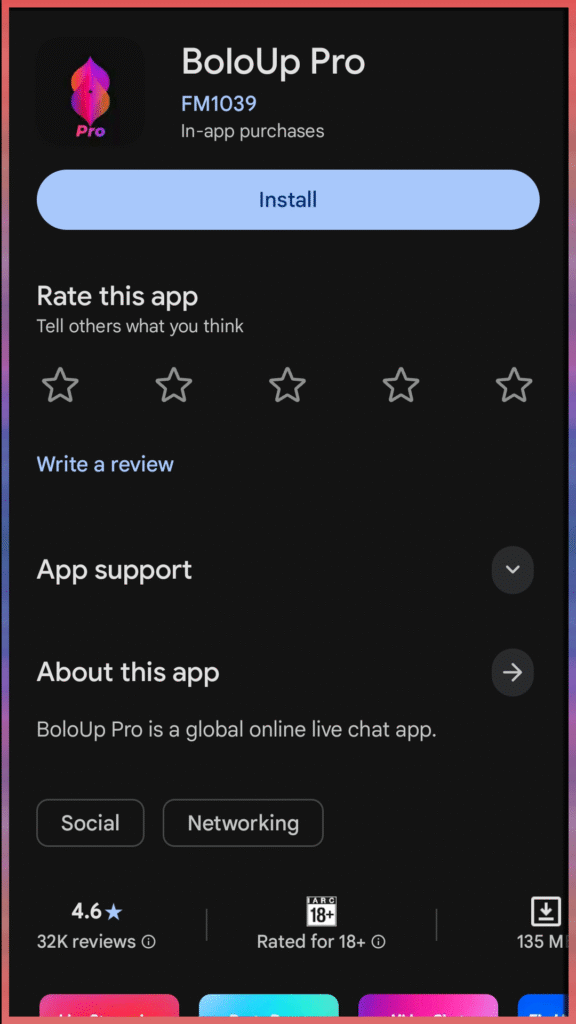
Step 1: Download the App
Start by downloading the BoloUp Live app from your device’s app store. Once the installation is complete, go ahead and open the app.
Step 2: Create Your BoloUp Account
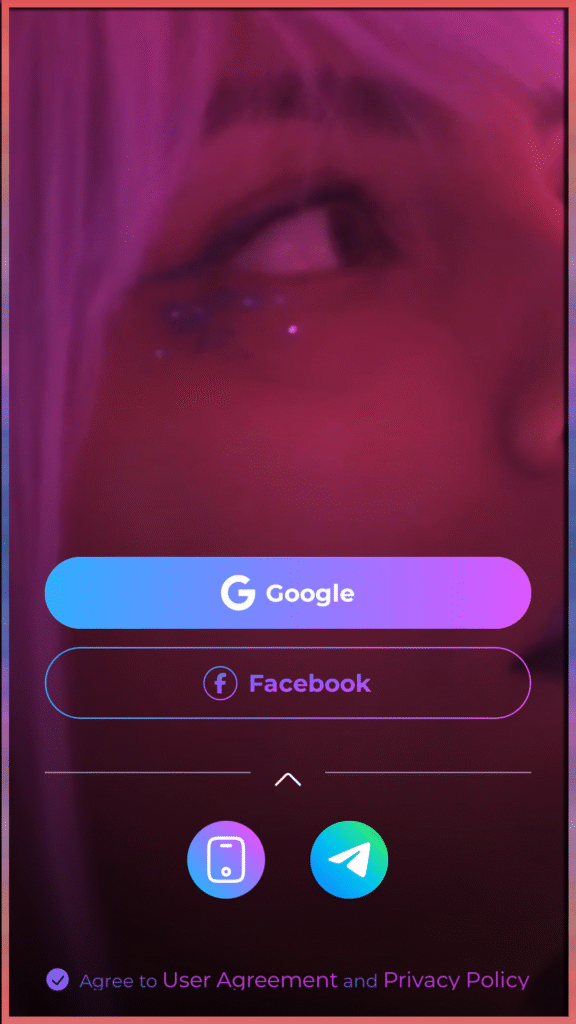
With the app open, you’ll be prompted to set up your account. Register using your preferred sign-in method, Google, Facebook, Telegram, or phone number are all accepted.
Fill in your basic profile details to complete the setup and get your account up and running. Avoid using your real name, instead create your own nickname.
Step 3: Finish the Face Verification Process
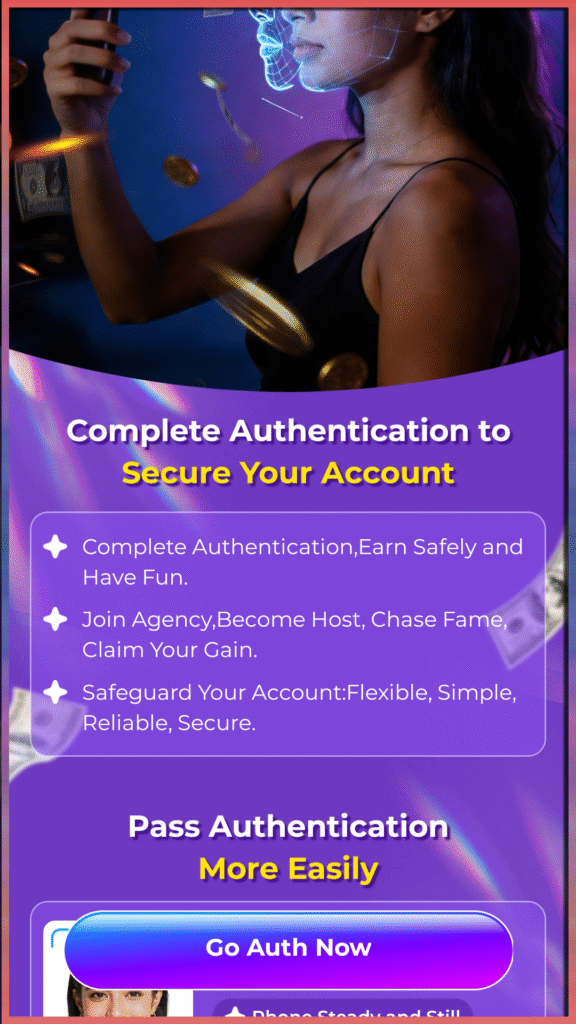
Then, go to your profile and look for ‘Authentication Center’. This is the face verification menu, in here you will be asked to follow several on-screen instructions while recording yourself. So, make sure your front camera is working and you’re in a well-lit room.
Step 4: Open the Invitation Link
Once your account is ready, open the agency invitation link provided right here. This will take you directly to the invitation form where you’ll see the agency information and be asked to submit your request to join an agency.
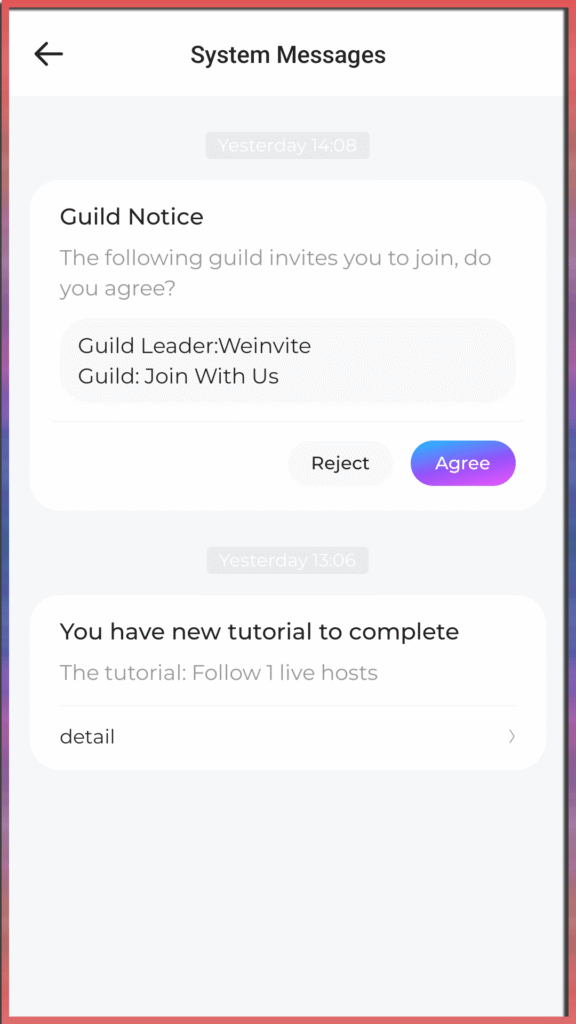
If you don’t immediately see the invitation, go to your message tab and look for the sender ‘System Messages’. From this sender you will see the agency/guild invitation message.
Step 5: Accept the Invitation
Lastly, accept the invitation to join the agency!
BoloUp Agency Registration Frequently Asked Questions
- What are the benefits of becoming a BoloUp agent?
As a BoloUp agent, what you earn is a direct result of the work you put in. Agents’ earnings come from multiple income streams, commissions from gifts, a share of their hosts’ earnings, and income generated by any sub-agents operating under their management.
- Can one person run more than one agency?
No, every individual on the platform is limited to owning and operating a single agency.
- Entered the wrong username during registration?
Not a problem at all. Your username can be updated freely through your profile settings at any point after signing up.
- What if I entered the wrong gender or country?
Unfortunately, these details are locked in once your account is created. If either field contains an error, your only option is to start fresh with a new account using the correct information.
- Can a host move to a different agency?
Yes, but it’s not immediate. The host must first submit a formal request to leave their current agency and receive approval before the transfer to a new agency can take place.
- Can agents also go live on BoloUp?
Absolutely, streaming isn’t exclusive to hosts. All BoloUp agents have complete access to the app’s live streaming features and can go live whenever they’ve met the level requirement. For more information on this, please check the app.
Your BoloUp Agent Journey Starts Now
Getting your BoloUp agent account set up is quick and straightforward. If you’ve worked through the steps above, you’re now fully registered and ready to dive into everything the platform has waiting for you, from getting a grip on how the host-agent relationship works to uncovering all the different ways you can build and grow your income as an agent.
Still have questions about getting started, agency features, or anything else on BoloUp? Our support team is always available and happy to point you in the right direction. Reach out anytime, and make sure to check out our blog for more tips, in-depth guides, and tutorials to support you every step of the way!