
Getting started on BoloUp is more straightforward than you might think. As a host, your role is simple: go live, connect with new people, and earn gifts along the way, much like any other live streaming platform out there. But every journey has a starting point, and this is yours. Here’s everything you need to know about becoming a BoloUp host registration in 2026!
BoloUp Host Registration Step-by-step
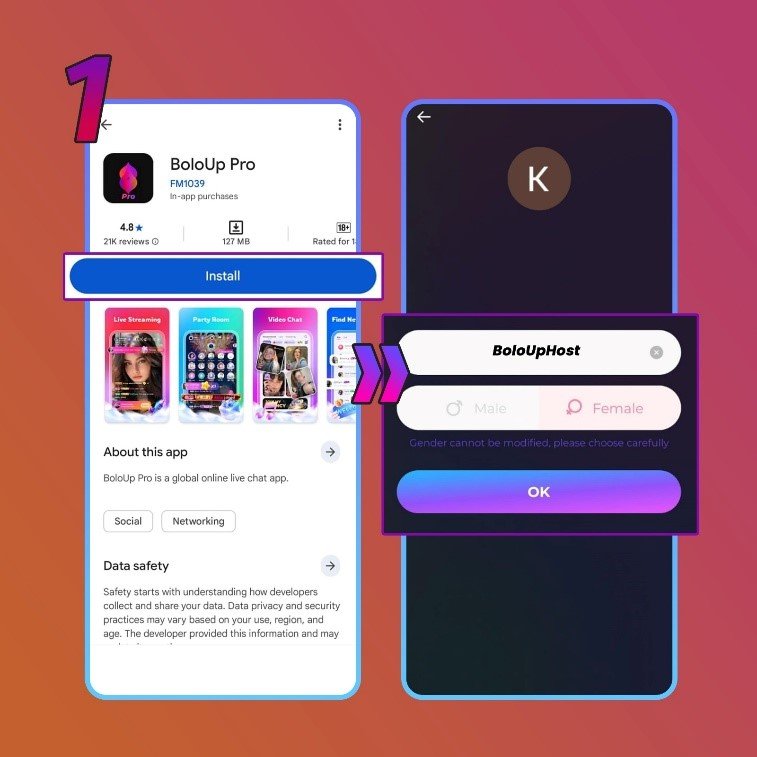
1. Download the app and and register
To start, let’s open this download link right here. This link will redirect you to another website, and inside the new website you can download the app.
Once you’ve downloaded the app, register your account through Google account, Facebook, Telegram, or phone number.
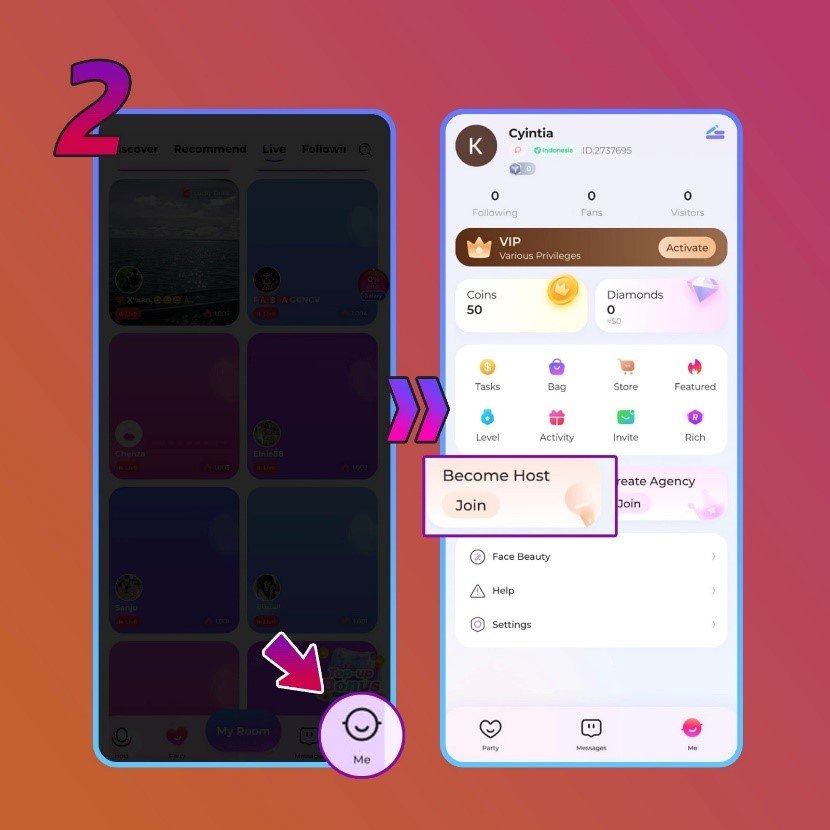
2. Open your profile
Next, inside the BoloUp app, go to your profile to find the ‘Become Host’ menu. If you find it, click the ‘Join’ button.
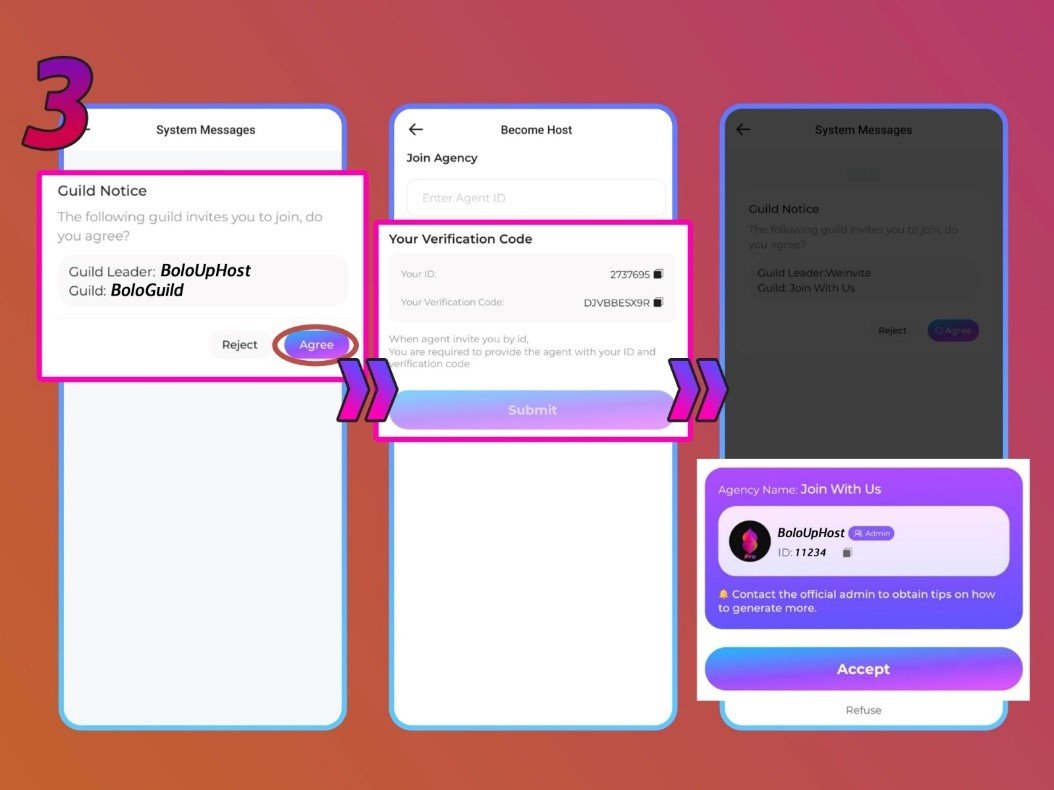
3. Enter the agency ID
Inside the menu, you will see a ‘Join Agency’ form. In this form, enter the agency ID you want to join. After you press the ‘Submit’ button, the app will display the agency associated with the ID you entered.
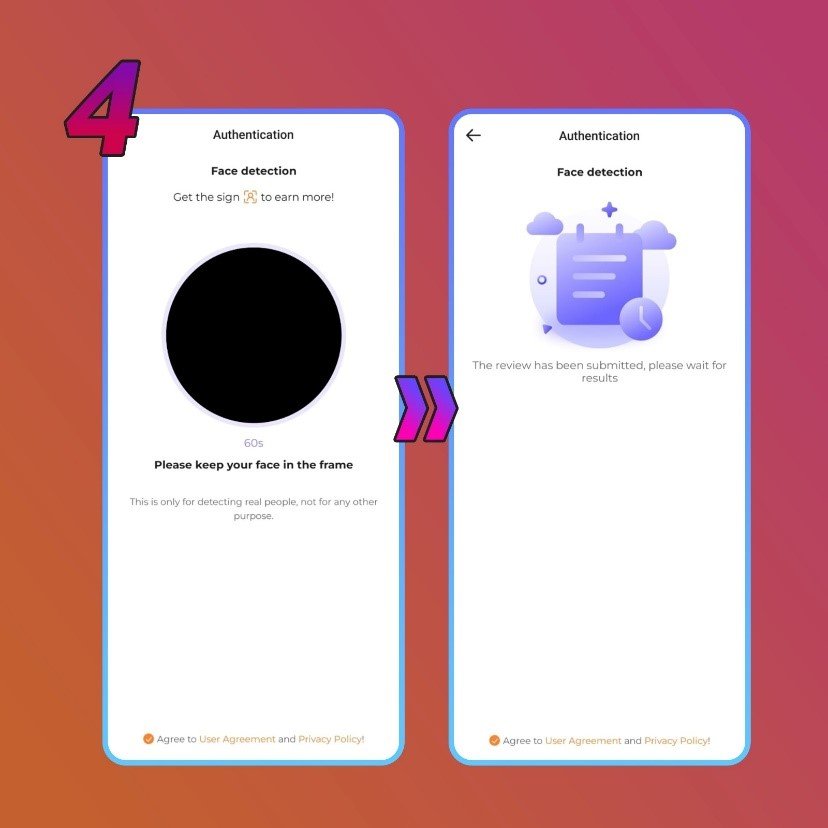
4. Complete the face verification process
The next step is to complete the face verification process in the ‘Authentication Center’ menu in your profile.
In this step you will be asked to follow several on-screen instructions. The verification process usually takes 1-3 business days. If you pass, you will become an official host. But, you can register through an official agent to get accepted faster.
BoloUp Host Registration Frequently Asked Questions
- Entered the wrong username?
No worries, your username can be changed at any time through your profile settings once your account is up and running.
- Registered with the wrong account?
Since your BoloUp account is directly linked to the account you signed up with, registering with the wrong one means your BoloUp profile gets bound to that account. The simplest solution is to create a new account using the correct details.
- Can I have more than one host account on a single device?
No, BoloUp restricts each device to a single registered account only.
- Is screen recording allowed on the app?
No. BoloUp has screen recording disabled throughout the app to safeguard the privacy of both hosts and their viewers.
- Selected the wrong gender or country?
Unfortunately, neither of these can be edited after your account has been created. If you made an error with either detail, your only option is to register a brand new account with the correct information.
Welcome to BoloUp, You’re All Set!
Creating your BoloUp account is a fast and painless experience, whether you’re brand new to live streaming or simply trying out a new platform. If you’ve already completed your registration, congratulations! You’re now an official BoloUp Live with everything the platform has to offer right at your fingertips.
Have questions about hosting or anything else along the way? Our team is always happy to help, don’t hesitate to reach out anytime. And be sure to check out our blog for more tutorials, tips, and guides to help you hit the ground running!